
广义投影算子的应用示例
广义投影 算子用于沿着表达式定义的曲线计算积分。大多数情况下,它被用于沿着笛卡尔坐标系方向积分,本文将列举几个典型的应用示例。
笛卡尔坐标系积分
考虑一个与全局笛卡尔坐标系对齐的立方体域,其中定义了一个变量。该变量的等值面如下图所示,显示了其值小于零时的体积。我们希望分别沿平行于 x 轴、y 轴和 z 轴的直线对这个体积进行积分,并将结果投影到 yz 平面, xz 平面, 和 xy 平面。
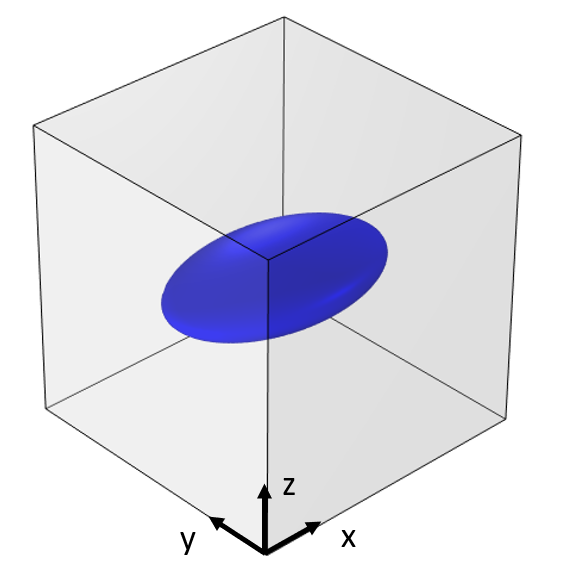 An image of a model domain, shown as a gray cube, with a blue sphere on the inside, visualizing an isosurface.
为了计算这三个积分,我们使用三个不同的 广义投影 算子,并通过 源映射 和 目标映射 确定积分的方向。目标映射 的 x 和 y 表达式是将要投影到的平面,应该与 源映射 的 x 和 y 表达式相匹配。源映射 的 z 表达式是积分方向,即平面的法线方向。下方屏幕截图显示了一个算子的设置示例。
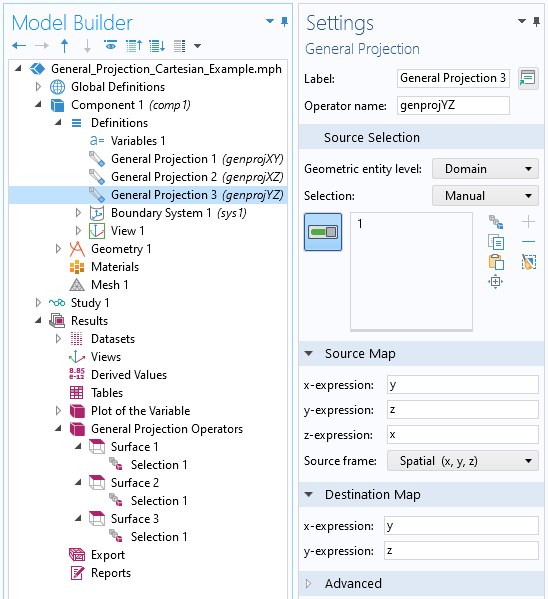 A screenshot of the Settings window for the General Projection operator, with the Source Selection, Source Map, and Destination Map sections expanded.
我们可以获得这个算子在域内任何位置的结果,通常绘图时只显示其中的一个面,如下图所示。
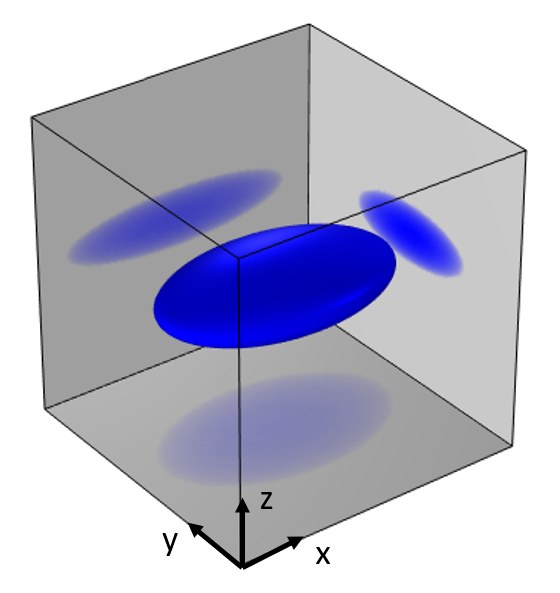 A gray cube, representing a modeling domain, with a blue sphere in the center that has been projected along the three Cartesian axes as transparent blue circles.
总结
这类积分的平滑度取决于网格的细化程度,但细化网格会增加计算成本。如果仅沿着一个方向积分,应尽可能在该方向使用扫掠网格。当该算子用于为多物理场模型引入耦合时,这一点尤其有用。
一个算子可以对另一个算子的结果进行运算,从而可以在一个平面上进行积分,并将结果投影到一条边上。
使用投影耦合算子绘制结果图时,可以在 绘图 功能下使用 质量 >分辨率 设置来提高结果的平滑度。
请提交与此页面相关的反馈,或点击此处联系技术支持。


