
COMSOL Multiphysics® 入门教程
如果您刚开始接触仿真或开始学习使用 COMSOL Multiphysics®,本文将为您提供一系列自学教程视频,全面介绍如何使用软件进行建模和仿真。这些视频概述了我们设置、构建和计算模型的完整流程(我们称之为 建模工作流程 )。您将看到工作流程步骤的实际操作,包括:
- 构建几何模型
- 引入定义
- 添加材料
- 设置物理场
- 划分网格
- 求解
- 分析和可视化结果
- 创建仿真 App
这些资源中包含了相关的模型文件和补充资源,以配合视频使用。登录 COMSOL Access 可查看您已观看的视频。如果希望开始观看这一系列视频,请单击下方按钮:
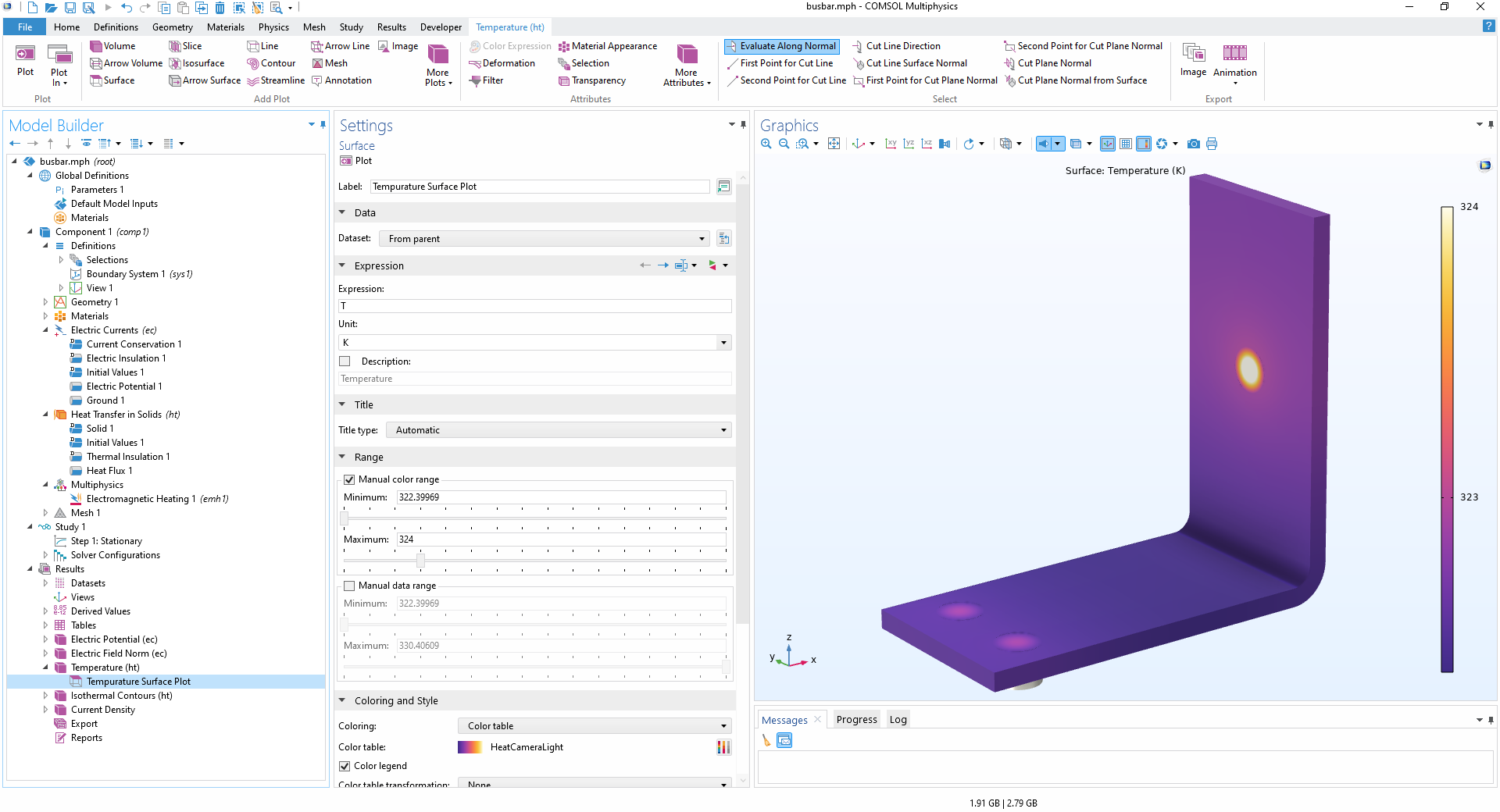 The COMSOL Multiphysics UI showing the Model Builder window with Temperature Surface Plot selected, the Settings window, and the Graphics window with a busbar model and temperature plot.
COMSOL Multiphysics® 软件的模型开发器工作区,显示了一个母线板模型的温度场模拟结果。
请提交与此页面相关的反馈,或点击此处联系技术支持。


